
Amazon Keyword Rank Tracker for Organic Rankings
Last week, your product ranked #1 for a target keyword. Now it appears on the second page, and you have no idea when the drop happened. EcomDune's Amazon keyword rank tracker monitors your product's organic search position for the keywords you choose. Rankings refresh every 24 hours, so you can view ranking changes over time and see when a drop occurred.
EcomDune, an Amazon Rank Tracker Like No Other
Just a bunch of ranking figures does not help. You need to know what changes happened, when, and whether your action had any impact.
This tracker is here to do that for you. It simply processes your data and leaves all the decisions to you.
Why Explaining a Decline in Rank Is a Challenge Without History
Rankings can change for several reasons. You rewrite your title on Tuesday, one of your competitors cuts its price on Wednesday, and your ad budget runs out on Friday. By the following Monday, the keyword is down by ten ranks, and you cannot tell which event contributed to the decline.
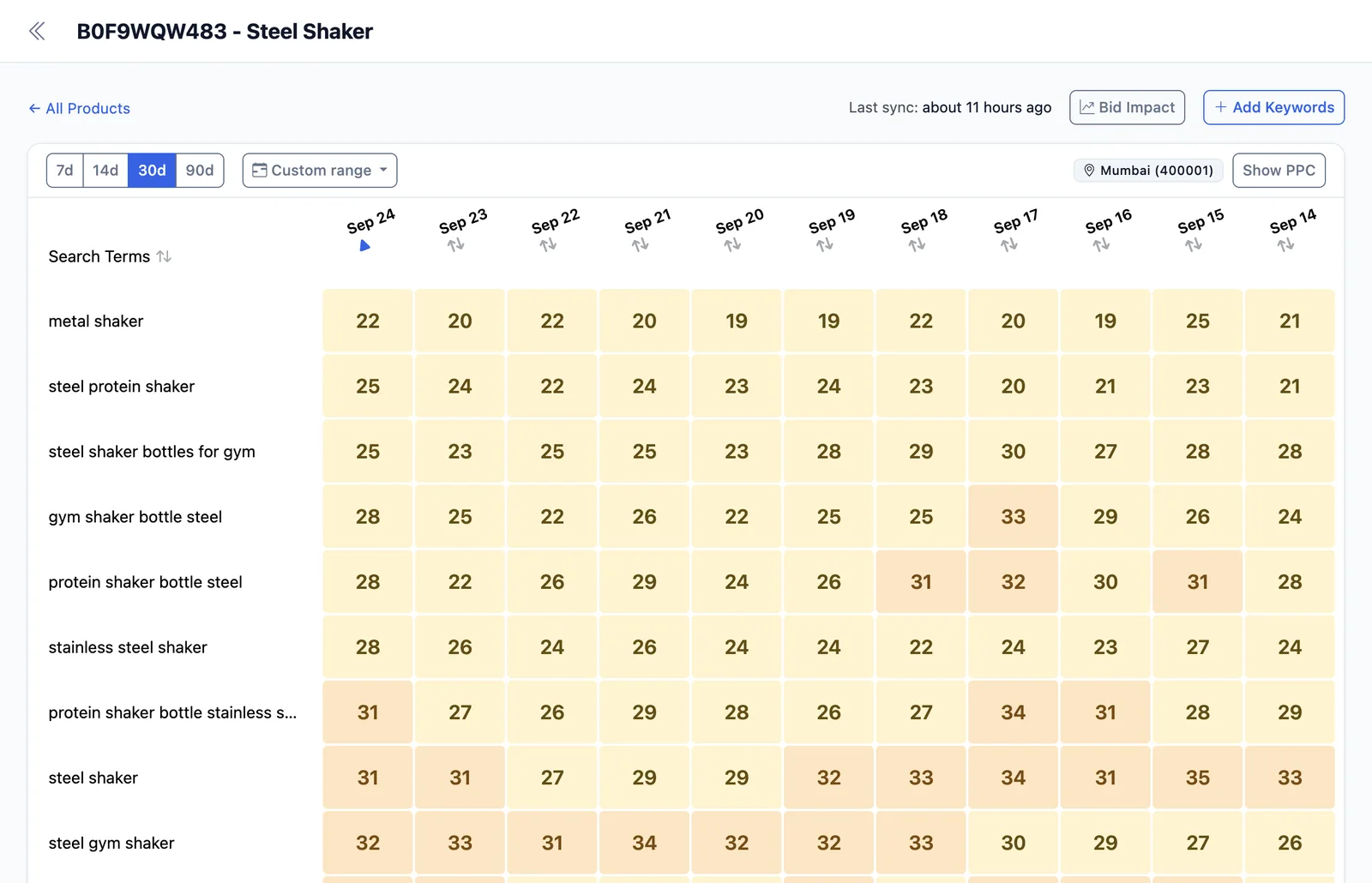
A manual search may not give you a reliable explanation. Results can vary depending on the shopper's location, device, timing, and search context, so the page you see may differ from the page another customer sees. Without historical data, you also have no previous rank to use for comparison. Instead of asking “Why is my rank low?” you can ask “What changed around the 12th?”
How EcomDune's Amazon Keyword Rank Tracker Operates
EcomDune's Capabilities
1. Keep Track of Your Product Launch
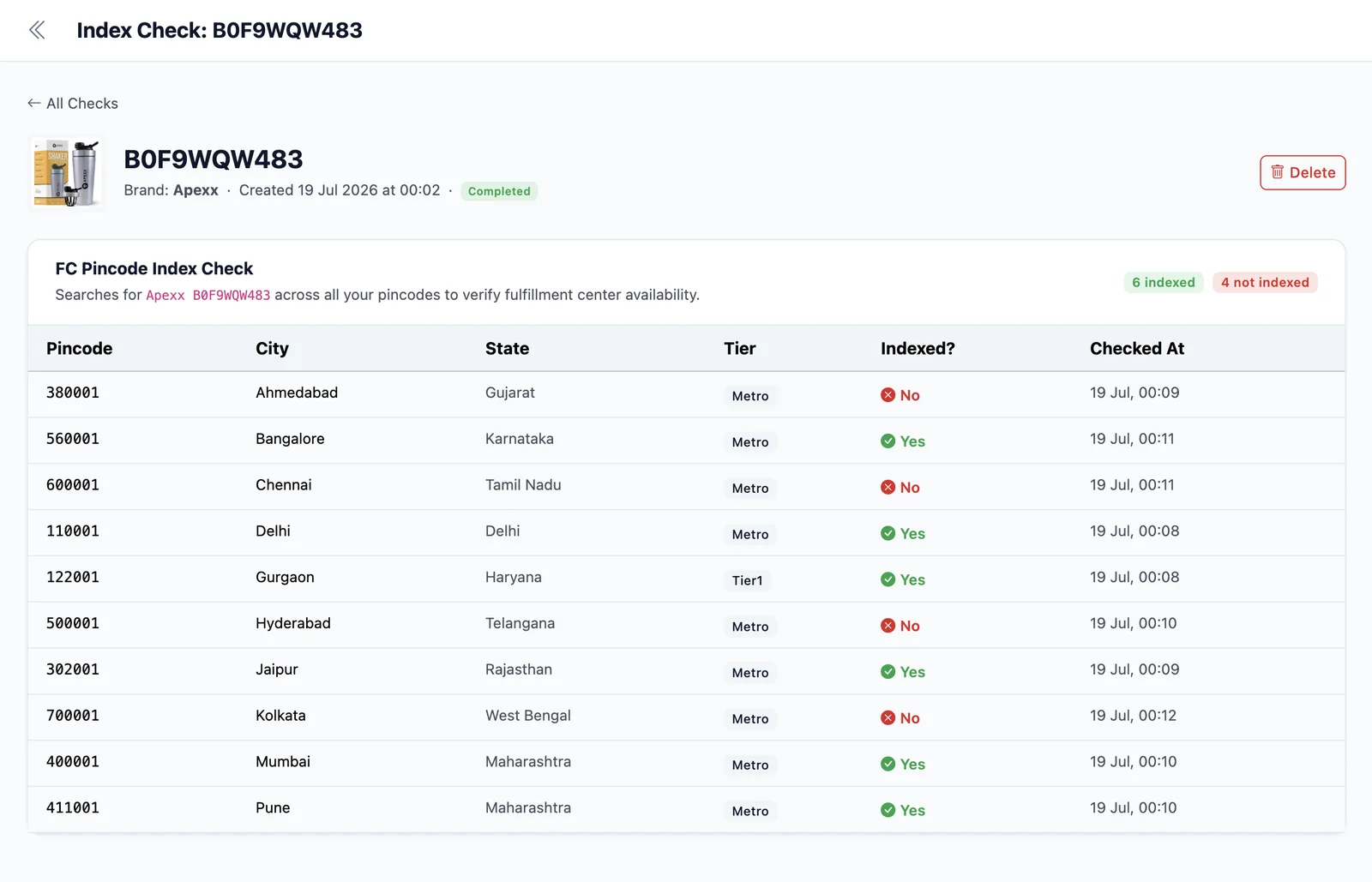
In the beginning, rank serves as your measure of progress. Use keyword research to pick out launch keywords and add them from day one, then you can start assessing the success of your launch. Before you begin scaling spend on a keyword, check if your listing is indexed for it at all. Don't waste money advertising an unindexed keyword.
2. Evaluate Changes to Your Listing
Note the date of any title or backend change so that you can compare what happens before and after. Use multiple observations over several days instead of relying on just one data point. Make only one major change at a time. If you change two things in a week, you won't know what worked.
3. Explore If Ad Expenses Affect Organic Rank
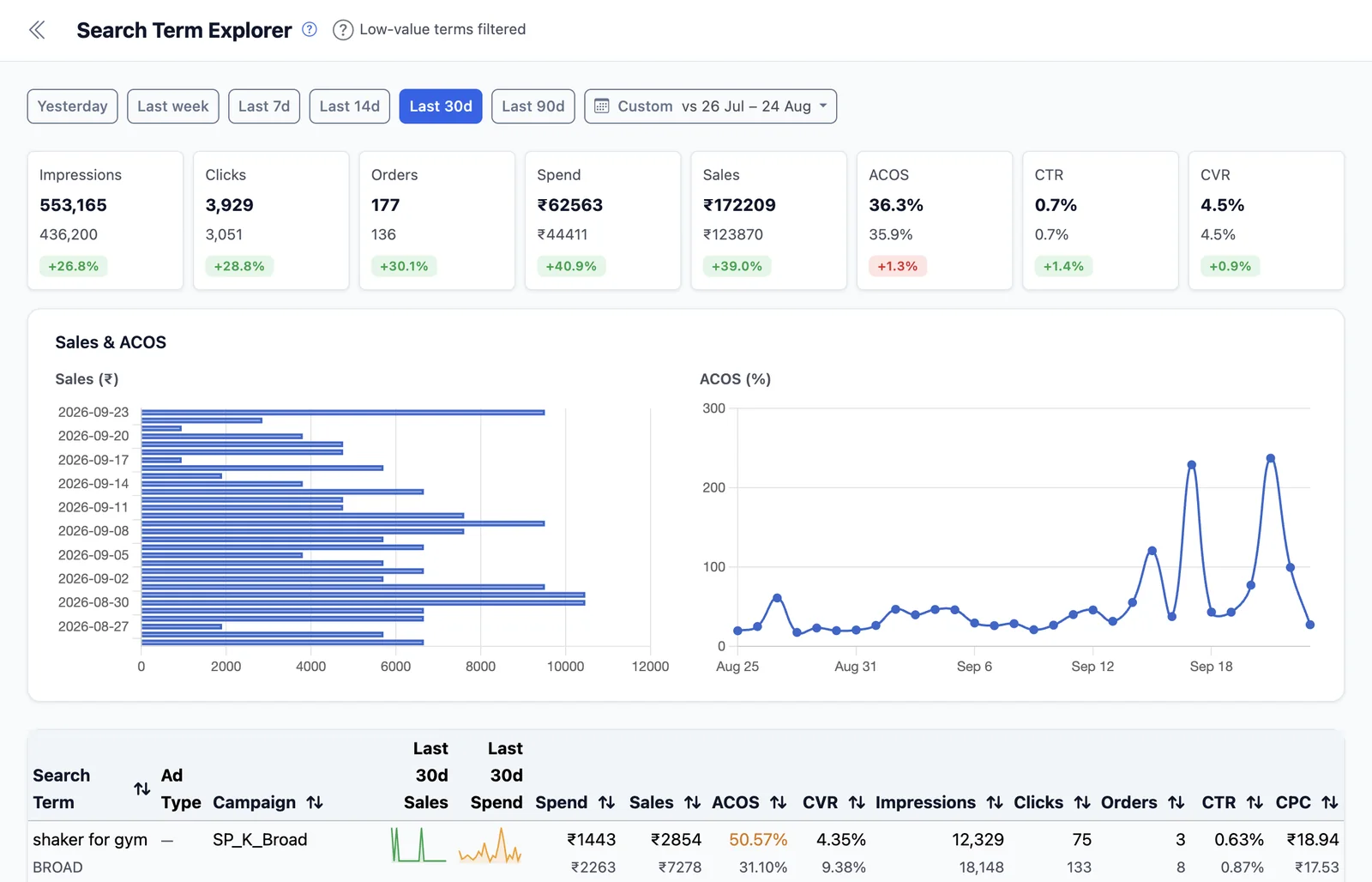
When you run ads to improve a keyword's position in organic search, you can use the graph to see whether it's working. Place the organic rank line next to ACoS, conversion rate, and impressions from your PPC data. If a keyword shows consistent ad spend and stable or improving organic rank, add it to your PPC Analytics list for deeper review. Also flag keywords that rank well but convert poorly. Ranking alone doesn't generate revenue, and those terms may need listing or targeting tweaks before you scale them.
Audit Your Amazon Keyword Ranking Instantly
You can run a full ranking audit in one session. For each product, review:
- Which money keywords have lost rank over the last 30 days?
- Which keywords have gained rank after you updated the listing? What exactly did you change?
- Which keywords are you paying for but don't rank for organically?
- Which keywords is your listing not indexed for?
- Which tracked keywords are no longer generating revenue and may need to be paused or removed?
Making the most of your Amazon keyword ranking data is easier when you review it regularly. Aim to run this audit at least once a week.
Understanding the Difference Between Amazon Keyword Rank and BSR
If you're looking for an Amazon sales rank tracker, make sure you know exactly what you need.
Keyword rank is your position for a specific search term, it shows how visible your listing is in Amazon search. Best Sellers Rank (BSR) is a product level ranking that shows how well your product sells compared to others in its category. BSR gives a general view of market performance but does not show data for individual keywords.
When comparing Amazon rank trackers with rank checkers, remember: a rank checker gives you an instant snapshot. A rank tracker provides regular updates and stores history. A checker can show where you are right now, but it won't tell you when a drop happened or how your rank has trended over time.
To choose the right Amazon keyword ranking tool, ask two questions:
- How often does this tool refresh the data?
- How far back does its rank history go?
How Amazon Keyword Trackers Differ: Manual Checks, SoldScope, DataDive, Helium 10 and Jungle Scout
| Alternative | Characteristics | Ideal For |
|---|---|---|
| Manual Checks | Locate and view your listing directly. Results depend on your search location, and history is only kept in your own file. | Sellers who want a quick overview of keywords right before launch. |
| SoldScope | Provides keyword tracking for both organic and sponsored positions. It can monitor an ASIN up to several times per day in Boost Mode and includes geo-specific rank data. | Sellers who need current rank data for both organic and sponsored positions. |
| DataDive | Rank Radar updates its information every day and allows a seller to track their position along with PPC statistics in one tool. | Private label vendors needing a rank tracking tool within a research suite. |
| Helium 10 | The Keyword Tracker monitors ranking once a day, or once every hour for keywords marked with Boost. | Sellers that seek to know rankings on certain keywords once every hour. |
| Jungle Scout | The Rank Tracker provides a history of different keywords displayed on one graph, annotations on the graph, and tracking of keywords used by competing ASINs. | Sellers that follow competitors' keywords they don't want to miss. |
| EcomDune | Organic keyword rank is updated every 24 hours, with up to 60 days of history shown on the graph, the date of each drop, ad information on individual keywords, and profit displayed on the same dashboard. | Sellers who want to see rank along with profit in one dashboard. |
Since terms, plans, and limitations change often, check the latest pages from each vendor before choosing. Discover more details on the Helium 10 alternative and Jungle Scout alternative pages.
Where EcomDune's Amazon Keyword Ranking Tool Gets Data From
EcomDune uses proprietary tech to track your product's organic position in search results. Rank data refreshes every 24 hours, and the chart can show up to 60 days of history.
Amazon rankings can vary by buyer location, so the rank shown for one location may not match your local rank. Review the trend over several days instead of focusing on a single data point.
Frequently Asked Questions
Choose the keywords that are crucial to your sales and track them against your ASINs. A simple manual search or an Amazon keyword rank tracker can show your ranking at a given time. A ranking tracker records your rank on a regular schedule, often daily, so you can see changes in your position over time. Once you register your keywords in EcomDune's Rank Tracker, it tracks your rank every 24 hours.
Keyword rank indicates your position in Amazon search for a certain keyword. BSR is a product ranking that compares your sales performance with that of other products in the same category. Keyword rank reveals your visibility in search, while BSR represents how well your product sells within its category.
Amazon's search rankings are always changing, so there isn't a specific update schedule. Each ranking tool has its own update pattern. EcomDune updates its rankings every 24 hours. Helium 10 updates its rankings once a day, and once per hour for keywords using Boost. SoldScope checks ranks daily and can track priority keywords up to three times a day.
Discover What Caused Your Rank Change
Your rank today tells one part of the whole story. The second part is what changed around the time the rank changed. Start tracking for 14 days completely free, with no credit card needed.
Start your 14-day free trial